

The problem
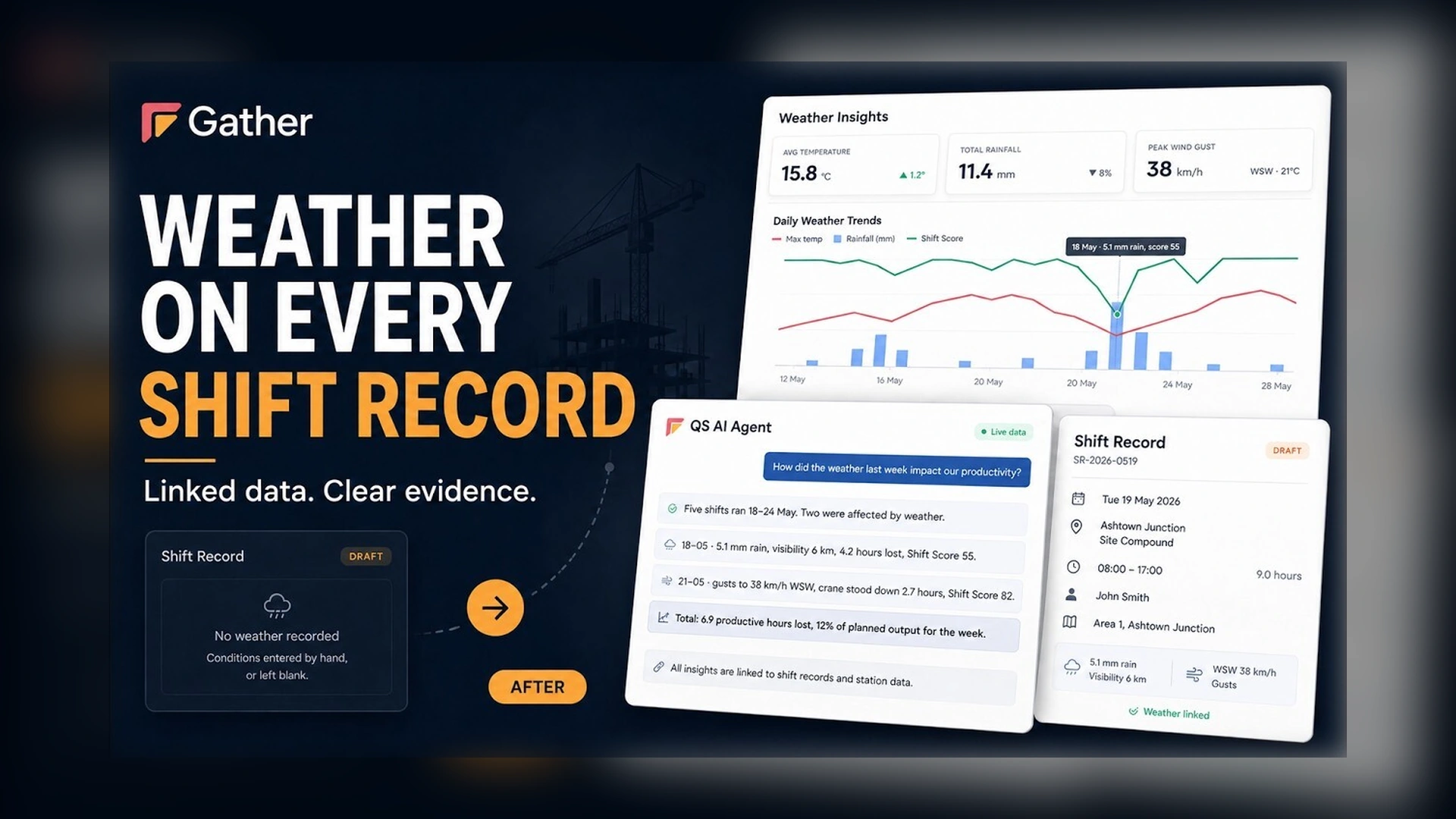
Until now, weather on a shift record depended on what someone remembered to type in. Often, nothing.
Weather linked to every shift record
Gather now links contractual and on-site weather directly to every shift record, automatically and hourly across every location.
Conditions sit beside output with rainfall, wind, and temperature shown against shift score, so productivity changes have clear context.
Hourly observations on every shift report
Each shift report includes hourly observations for temperature, wind, precipitation, visibility, and UV with shift hours clearly highlighted.
Key Insights across the project
Across the project, Key Insights brings a month of conditions into one view, including trends, prevailing wind, and a weather log for every shift.
The QS AI agent answers the commercial question
And the QS AI agent answers the commercial question directly: productive hours lost, supported by linked station data and ready for a compensation event.
Gather. Weather linked to every shift record.

.webp)





