Platform › Plan

Your site teams record.
Not configure.

commercial certainty.

Dummy Certainty

Dummy Certainty

Dummy Certainty

commercial certainty.

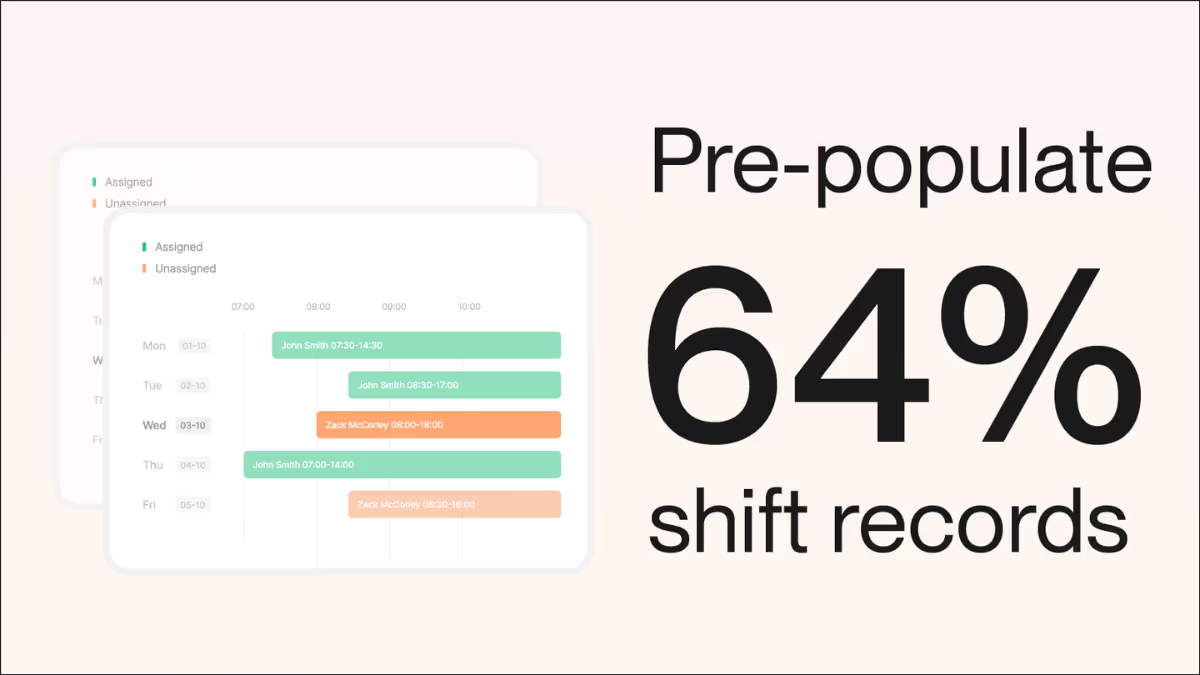
Pre-populate up to 64% of every shift record before your teams even open the app. They verify the plan instead of guessing what to write.

background blurbackground blurbackground blur
Workspace A1 Cable Upgrade Shift Planning
Live
Location / Activity
Mon 20 Jan
Tue 21 Jan
Wed 22 Jan
Thu 23 Jan
Fri 24 Jan
Southam Road 2
Track Inspection
80%
Track Inspection 3d
Signal Testing
20%
Signal Testing 3d
Lumbs Lane 2
Site Preparation
60%
Site Preparation 4d
Excavation Works
0%
Excavation 2d

Create Draft Shift

Thu 23 January

Activities
1

Site Preparation

Track Inspection

When site teams configure,
data suffers.

Supervisors aren't the right people to decide which cost code to use or how to categorise a delay. When they have to figure it out on the fly, you get inconsistent data that doesn't match your tender.

When structure is wrong

Supervisors guess at cost codes and records don't match your tender

Everyone codes things differently so reports are unusable

Too many options means people skip fields or pick wrong ones

No prepopulation means time wasted on admin instead of actuals

When structure is right

Shifts are prepopulated so supervisors just confirm and adjust

Cost codes already assigned so data flows to the right place

Consistent framework means reports group cleanly

Site teams focus on what happened, not how to categorise it

Plan is where you get the structure right. Once. So site teams can just Record.

"Gather is a link between the day team and the night team. The diary is prepared by the staff on days planning the jobs and passed on to the night team who execute the plan. Information is stored in one place. Everyone is sharing the same information. No desktop saving."

Zak Zvakaramba

Senior Project Manager, Balfour Beatty

1 Step 1: Plan

WBS & Activity Setup

Define your Work Breakdown Structure, activities, and planned quantities once. Import directly from P6, Asta Powerproject, or your Excel tender build-up. Every shift record links back to this structure automaticallyp.

Who sets it up
Quantity Surveyor Planner Gather Support
Why it matters

When site teams record against a consistent WBS, your reports group automatically. Resource allocation by cost code. Progress by WBS element. No manual reconciliation.

Workspace A14 Cambridge WBS Setup
P6
Asta
Excel
Work Breakdown Structure
24 elements
1.0 Earthworks £4.2M
1.1 Bulk Excavation £1.8M
1.1.1 Cut to Fill Ch. 0+000 to 2+500 85,000 m³
1.1.2 Cut to Spoil Ch. 2+500 to 4+000 42,000 m³
1.2 Site Clearance £0.6M
Planned Activities
Imported from P6
Activity ID Description WBS Planned Qty
A1001 Topsoil Strip 1.1.1 12,500
A1002 Subsoil Excavation 1.1.1 72,500
A1003 Import Type 1 1.1.2 28,000
WBS Elements
24
3 levels deep
Activities
156
Linked to WBS
Target Value
£18.4M
From tender
Cost Codes
48
Mapped
2 Step 02

Resource Library

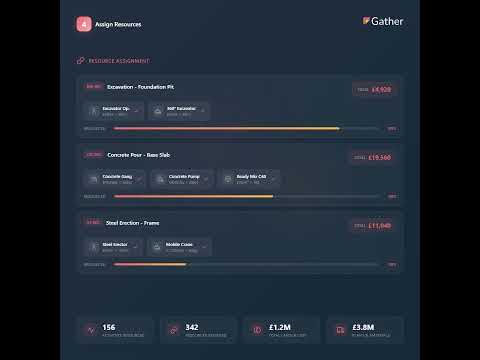
Define every resource your project uses: trades, gangs, plant, and materials. Set all-in cost rates for each. Site teams pick from your list instead of typing free text.

Who sets it up
Quantity Surveyor Commercial Manager
Why it matters

Supervisors don't type 'groundworker' 50 different ways. They pick from a list. Your reports group cleanly and cost flows through automatically. No more cleaning data before you can use it.

Workspace A14 Cambridge Resource Library
Labour 24
Gangs 8
Plant 18
Materials 42
Labour Resources
Resource Type All-in Rate Unit
Groundworker
Labour £32.50 /hr Hour
Steel Fixer
Labour £38.00 /hr Hour
20T Excavator
Plant £85.00 /hr Hour
Type 1 Granular
Material £24.50 /m³
Labour
24
Trade types
Plant
18
Items
Materials
42
Types
Gangs
8
Configured
3 Step 03

Productivity Baselines

Enter the productivity rates you assumed in your tender. Gather compares actual performance against these targets in real time so you spot drift before it drains margin.

Who sets it up
Quantity Surveyor Estimator
Why it matters

If you priced excavation at 2.5 m³/hour and you're actually achieving 2.1 m³/hour, you're losing money. Gather shows you this variance in real time, not at month end when it's too late to fix.

Workspace A14 Cambridge Productivity
12 baselines set
Productivity Rates
Tender vs Actual
Activity Target Actual Variance
Bulk Excavation
2.50 m³/hr 2.10 m³/hr -16%
Concrete Pour
18.00 m³/hr 19.50 m³/hr +8%
Steel Fixing
0.85 t/hr 0.92 t/hr +8%
Type 1 Laying
45.00 m³/hr 38.00 m³/hr -16%
Target vs Actual
Target
Actual
Bulk Excavation
Target
2.50 m³/hr
Actual
2.10 m³/hr
Concrete Pour
Target
18.0 m³/hr
Actual
19.5 m³/hr
Baselines
12
Activities tracked
On Target
7
58% of activities
Below Target
5
Needs attention
Cost Impact
-£42k
This period
4 Step 04

Standard Method of Measurement

Select your measurement standard (CESMM4, NRM2, ARM4, MMHW, or custom) and Gather pre-populates the correct units and rules. Site teams record in the same units as your bill.

Who sets it up
Quantity Surveyor Gather Support
Why it matters

When site records in m³ and your bill is in m³, reconciliation is straightforward. No more converting units or arguing about measurement rules at valuation time.

Workspace A14 Cambridge Measurement
CESMM4 Active
Select Standard
CESMM4
Civil Engineering
NRM2
Building Works
ARM4
Highways
RMM
Rail Method of Measurement
POM(I)
Industrial
Custom
Bespoke Rules
Pre-populated Units (CESMM4)
Auto-configured
Work Class Unit Measurement Rule
E Earthworks
Measured net in final position
F In Situ Concrete
Actual volume placed
G Reinforcement
t Calculated from bar schedules
R Roads & Paving
Plan area as laid
Standard
CESMM4
Civil Engineering
Work Classes
26
Pre-configured
Unit Types
18
Available
Rules
142
Measurement rules
5 Step 05

Activity Locations

Define the physical areas of your site. Supervisors tag records to locations so you can filter and report spatially. See exactly where work happened and where it didn't.

Who sets it up
Site Manager Planner
Why it matters

When a delay happens in Zone B, you see exactly which activities were affected. Location data makes delay analysis precise and compensation events easier to substantiate.

Workspace A14 Cambridge Activity Locations
Site Zones
Zone A
Zone B
Zone C
Zone D
Zone A Junction 23 142 records
Zone B Mainline N 98 records
Zone C Mainline S 156 records
Zone D Junction 24 87 records
Ch. 0+000 Ch. 2+500 Ch. 5+000 Ch. 7+500 Ch. 10+000
Activity Locations
18 activity locations defined
Activity Location Chainage Records
J23 Northbound Slip
0+000 - 0+450 48 records
J23 Roundabout
0+450 - 0+800 94 records
Mainline Ch. 1+000
1+000 - 2+500 98 records
Bridge Structure 4
5+200 - 5+350 67 records
Zones
4
Major areas
Activity Locations
18
Defined
Tagged Records
483
This period
Coverage
10km
Chainage range
6 Step 06

Shift Planning

Assign gangs to activities for the week ahead. When supervisors open the app, their planned work is already there. They confirm what happened instead of building records from scratch.

Who sets it up
Site Manager General Foreman
Why it matters

When supervisors know what they're recording against before the shift starts, data quality improves dramatically. They spend minutes confirming, not half an hour creating.

Activity Planning

10 activities across 4 locations
100%
Drag activities to reschedule • Click day columns or activities to create shifts
Location / Activity
27 May Tue
28 May Wed
29 May Thu
30 May Fri
31 May Sat
1 Jun Sun
2 Jun Mon
Lumbs Lane 3
Site Preparation
60%
Site Prep...3d
Excavation Works
30%
Excavation4d
Foundation Pour
0%
Foundation Pour3d
Southam Road 2
Track Inspection
80%
Track Insp...3d
Signal Testing
20%
Signal Test...3d
Birdingbury 3
Cable Installation
40%
Cable Install5d
Equipment Setup
0%
Equipment Setup4d
Testing & Comm.
0%
Testing & Comm.4d
Fosse Way 2
Survey Work
50%
Survey Wo...3d
Drainage Install
10%
Drainage Inst...5d
Smart Import

Import hours of work in seconds.

Don't type it out. Gather's prepopulation engine reads your tender files, maps the columns intelligently, and builds your project structure instantly.

1. Upload Source

Drag & drop your Excel tender build-up, CSV bill of quantities, or P6 .xml schedule.

.XLSX
.CSV
.XML

2. Smart Map

Our engine identifies your columns. It suggests mapping 'Activity ID' to 'WBS Code' automatically.

Column A
Activity Name
Column B
Unit Rate

3. Ready to Record

Your WBS, rates, and resources are instantly live on mobile devices. Site teams can start recording.

Project Created Successfully

"Our team was working incredibly hard, but the systems weren't supporting them. We needed a single platform that could handle the complexity of a multidisciplinary programme without adding to the administrative burden."

Marianna Wotton

Project Manager, Amey

Plan is the foundation

Everything downstream depends on what you set up here. Get Plan right, and Record, AI Agent, and Report just work.

Gather Workflow Diagram - Plan

What flows from Plan to everywhere else

WBS structure
Resource library
Cost rates
Productivity targets

Common questions

Excel / PowerBI
MCP Server
Aconex

Ready to get set up?

Book a demo and we'll walk through the setup process with your actual project data.
Import what you have. Start recording straight away.