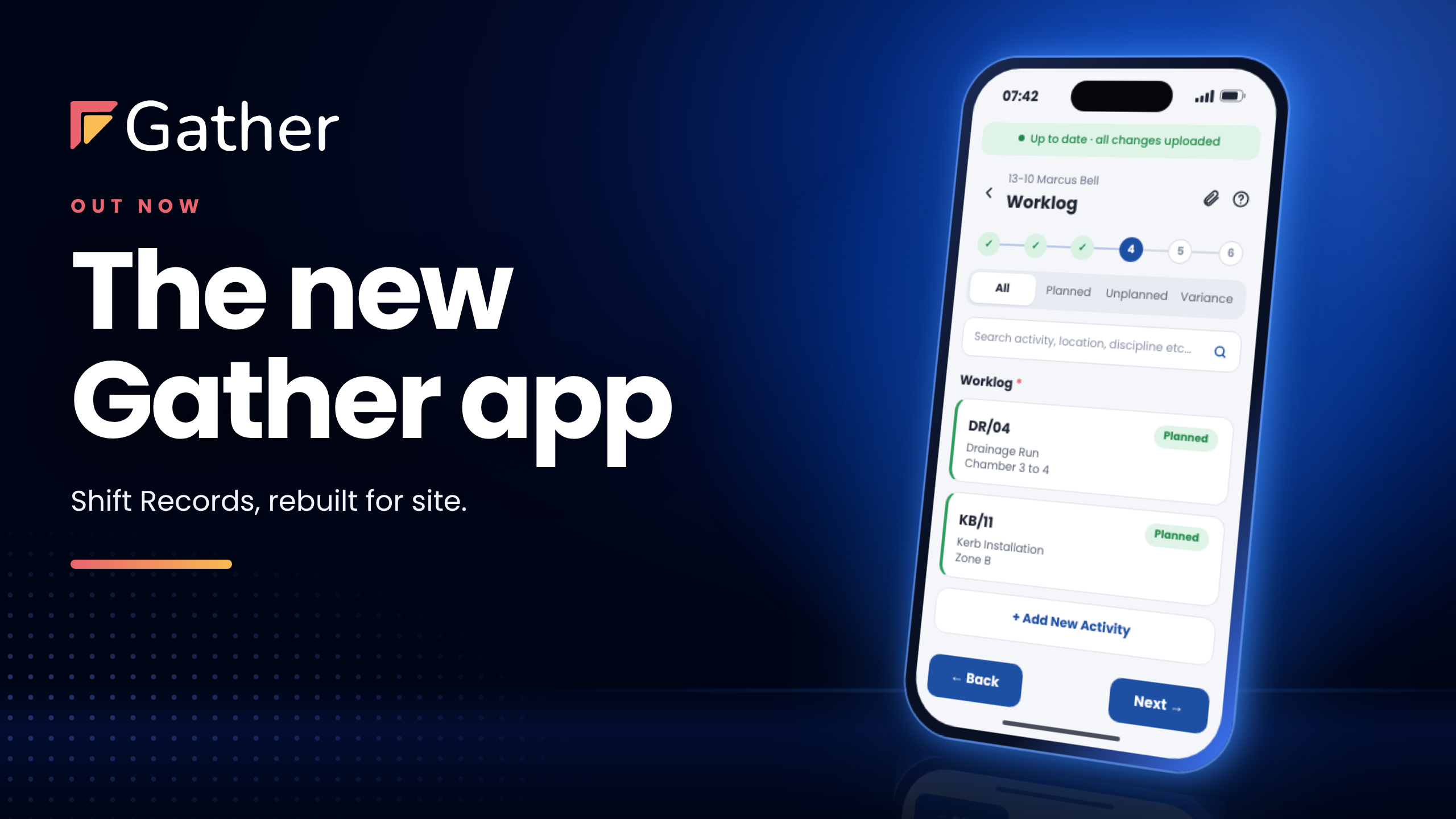









Worklog
Activities
01 / Progress
See exactly where work stands.
Enter completed quantities against the activity and location. The next shift starts with a clear view of what remains.

Gather Record · Construction site diary software
Capture daily progress, changes, photos and resource hours in one construction site diary. Give your commercial team the detail to review what happened.
Record offline. Dictate notes. Attach photos.
Used by site and commercial teams at
EXPLORE A SHIFT RECORD
Select a part of the record to see where it goes.
Compare completed quantities with the plan, activity by activity.
Illustrative shift data. Select any input or the report to explore.
A shift in Gather
The team completes 75 m of a planned 100 m. Here’s how the diary connects that shortfall to an obstruction and the resources on site.
01 / Progress
Enter completed quantities against the activity and location. The next shift starts with a clear view of what remains.

02 / Events
Add the event, timing and photos while the detail is fresh, so a later review has more to work with than memory.
03 / Resources
Allocate labour and plant hours to each activity. Your commercial team can trace the resources used to the work recorded.
Illustrative product views with example data.
04 / Reporting
Gather Report brings the shift records into one view, ready for your team to investigate differences and assess their commercial significance.
SHIFT RECORD · 15 JANUARY 2026
25 m below plan · 75% recorded
| Adam BarnesPiling operative | 8.5 h |
| Sarah MitchellSite engineer | 6.0 h |
| JCB 3CX BackhoePlant | 8.5 h |
09:45 · Duration 2 h 30 min
Sheet piling halted due to unexpected ground obstruction at 4.2 m depth. Awaiting geotechnical assessment.
Recorded hours are activity allocations, not a calculation of delay cost.
Connected records
Plan the work, capture the shift, then use the same records in Report and QS AI.
Set out activities, resources and quantities.
Capture progress, changes and resource hours.
See it in action
Watch a shift walkthrough or see how construction teams use Gather on real projects.
Customer storyHow Amey brought daily records and resource information together at Brent Cross.
Read Amey’s story ↗
▶1 min 34 secWatch how site details, completed work and resource hours become a shift record.
Watch the walkthrough ▶
▶Walkthroughs & demosBrowse product walkthroughs and demonstrations on the Gather YouTube channel.
Browse Gather videos ↗Using Gather Record
Setup, daily use and sharing records.
Yes. Gather supports offline shift recording, with data saved on the device and synced when a connection returns.
Pre-filled shift information reduces repeat entry, and voice-to-text lets teams dictate notes. They check the details, record progress and changes, and add photos.
Yes. Configure fields and dropdowns around your activities, locations and reporting needs. Bring your current diary or allocation sheet to the demo so we can show how it would work in Gather.
Yes. Teams record quantities against activities and locations, then allocate labour and plant hours to the work. Events and photos provide the context behind differences between planned and actual delivery.
Yes. Gather supports branded shift PDFs and summary reports, with PDF and CSV exports. The same site data feeds Gather Report, so the office can review progress and resource use.
We support project setup, team training and ongoing use. On-site training is available, alongside support by phone, email and video. We’ll agree the training and support needed for your rollout.
Gather supports Microsoft single sign-on and two-factor authentication. Your IT team can review data handling, access controls and security documentation in our Trust Centre.
See it with your team
See how your team can record progress, changes and resource hours in Gather.
Book a demo →A 30-minute walkthrough.


Gather Insights Limited is a limited company registered in England & Wales. Registered number: 10215108.
Copyright © Gather Insights Limited 2026